 NotchIsland
Your notch, now a Dynamic Island.
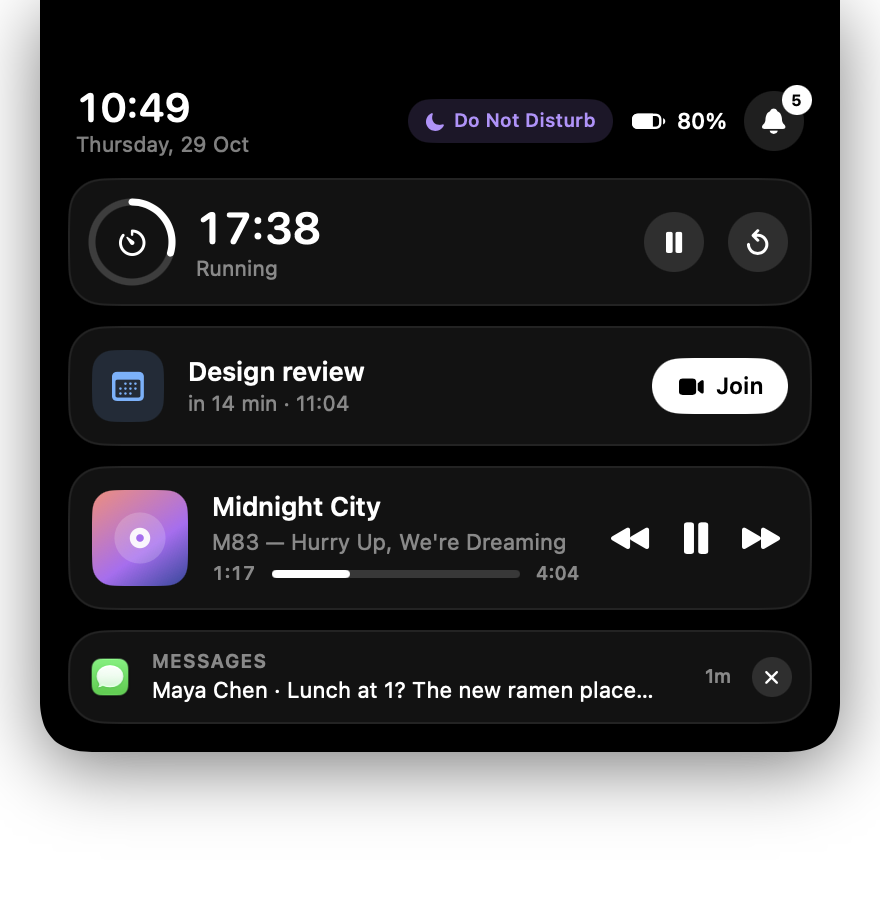
NotchIsland lives inside the MacBook notch and grows out of it: what's playing, what just arrived, what's charging, what's next. One black surface, flush with the bezel, that only shows up when it has something to say.
MIT licensed · no accounts, no analytics · updates itself from GitHub Releases
Live, where you're already looking
Everything that matters right now, right under the notch.
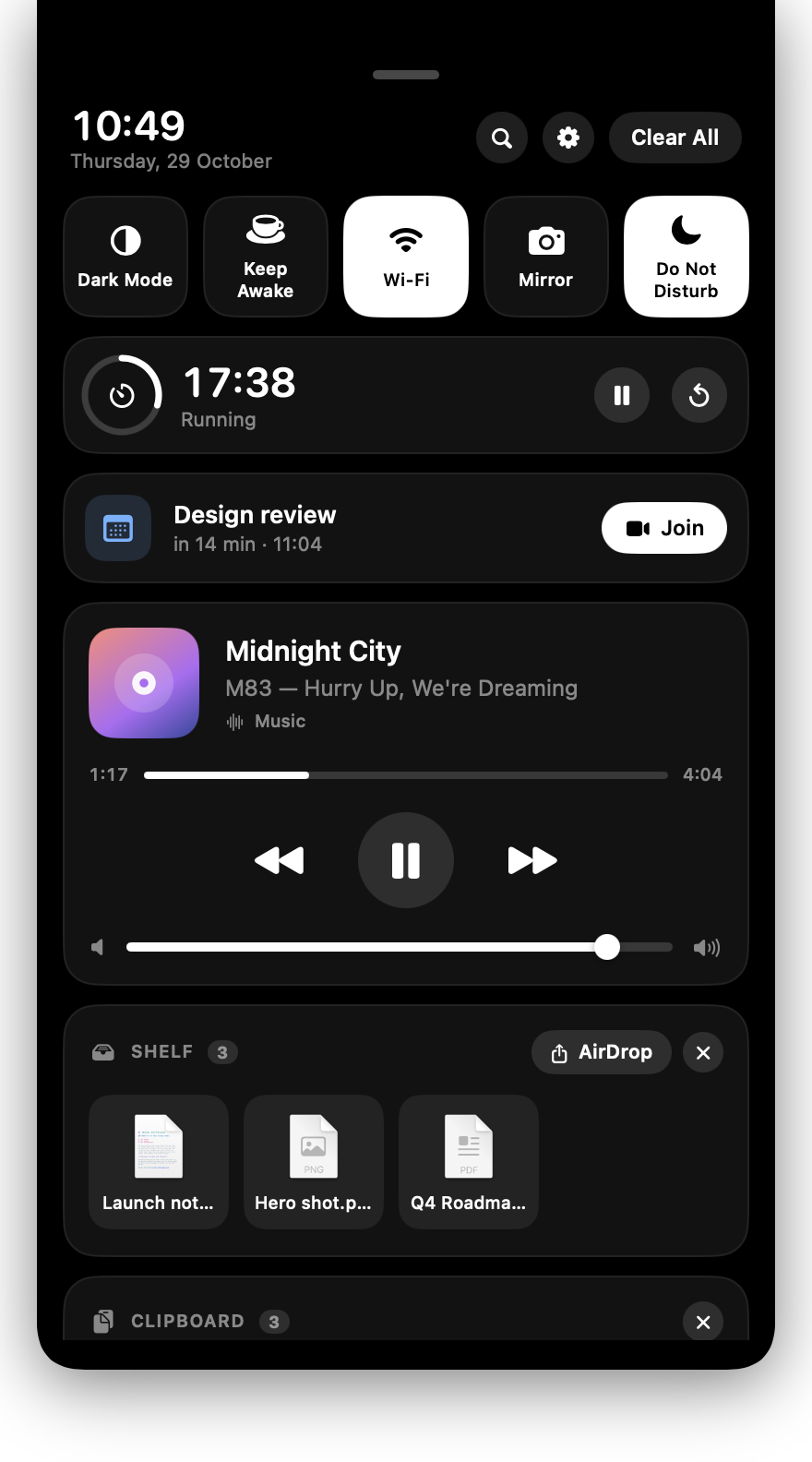
Hover for a glance, click for the full shade, press ⌥ Space to launch anything. The island stays true black so it blends with the bezel and disappears when it's idle.
Now Playing, from anywhere
The TV app, Music, Podcasts, QuickTime Player, Spotify, VLC and whatever is playing in Safari or any Chromium browser: Chrome, Brave, Edge, Arc, Vivaldi, Opera. Anything that publishes to Control Center shows up, no permission needed. Every app, and every browser tab with media, is its own source; the island follows the stream that started last and lets you switch with a tap. Artwork in the ear, bouncing bars while it plays, a scrubber, transport and the system volume slider.
A real notification shade
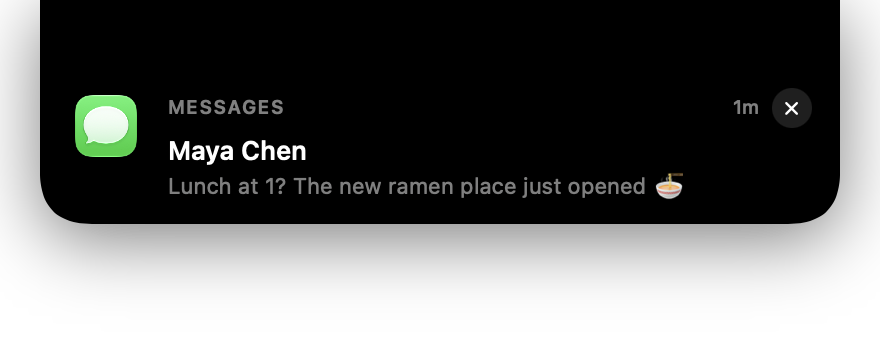
Banners drop out of the notch, then collect in a shade grouped by app with history, Clear and Clear All. Private messages stay on your Mac: it reads Notification Center's own store.
Live activities
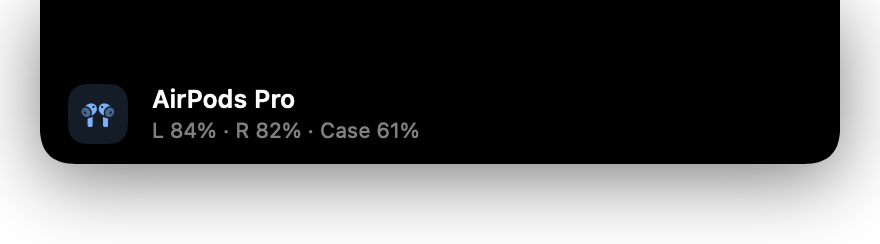
Charger in or out, low battery, volume changes, AirPods connecting with left, right and case battery, downloads with real progress, a finished timer. Long-running ones shrink into a ring in the ear.
⌥ Space launcher
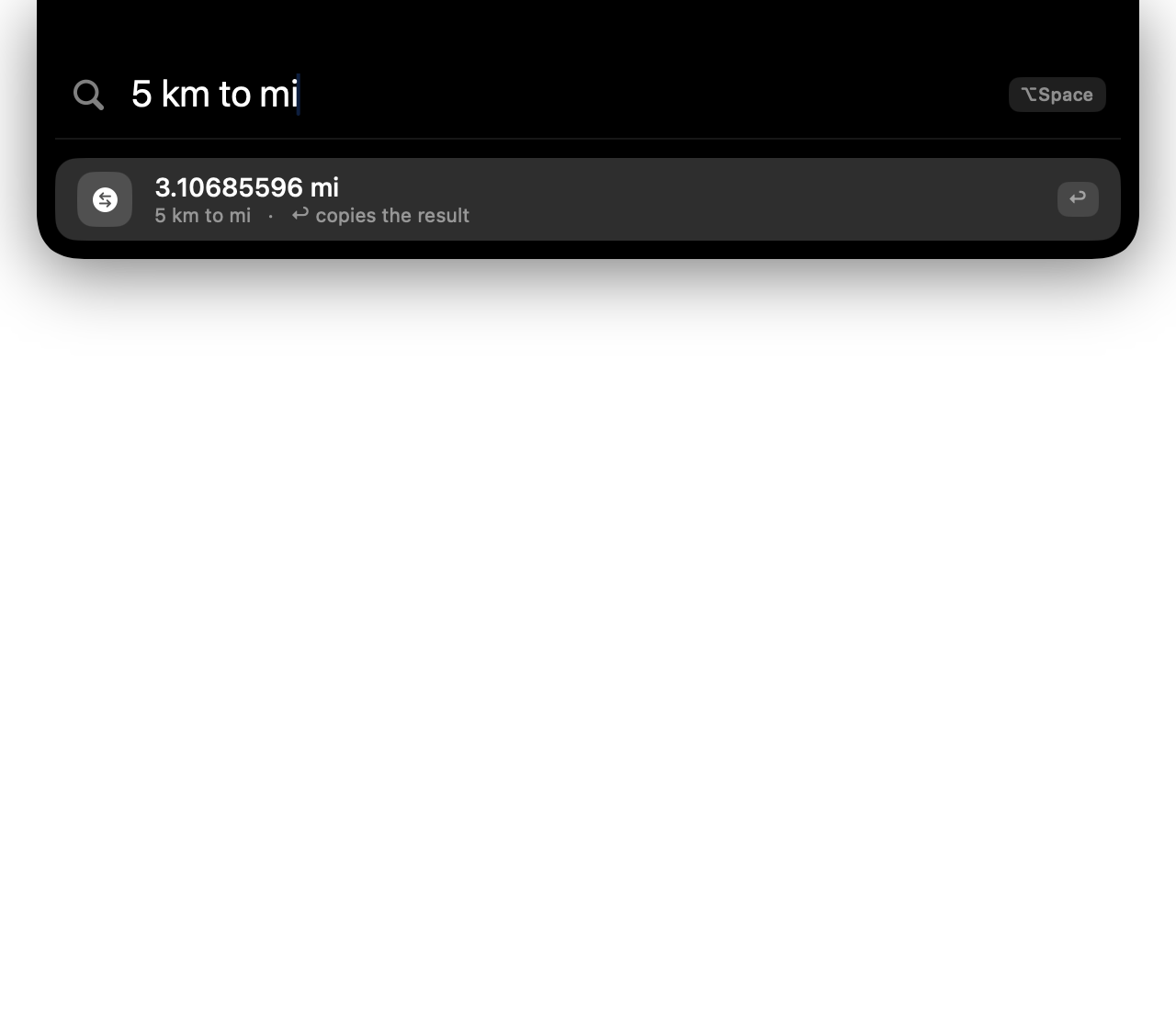
Fuzzy app search ranked by what you open most, Spotlight file search, a calculator, unit conversion and quick actions like lock, sleep or dark mode. The hotkey is swallowed, so nothing else hears it.
Timer and next event
Pomodoro presets with a countdown ring in the ear and a chime at the end. Your next calendar event sits in the shade with a one-tap Join for Zoom, Meet, Teams and friends.
Shelf
Drag files onto the notch to park them. Drag them back out into any app later, open them, or AirDrop the whole shelf in one go.
Quick toggles and Focus
Dark Mode, Keep Awake, Wi-Fi and a camera check for calls. The Focus tile mirrors the system, lighting up with “Do Not Disturb” or whatever mode you're in.
Mic, camera, Focus indicators
Small coloured marks beside the notch tell you when the microphone or camera is live, when a Focus is on and when the display is being kept awake.
Private by design
No account, no server, no analytics. Everything is read from your own Mac. The one network request is a daily look at GitHub Releases for a new version, which sends nothing about you and can be switched off.
One surface, many states
It only grows as much as it needs to.
Idle, the island is just the notch. Everything below flows out of it with the same width and the same black, so the notch and whatever drops down always read as one thing.

Install
Up and running in a minute.
NotchIsland is a tiny, self-contained app. It needs macOS 13 Ventura or later and a Mac with Apple silicon (every notched MacBook has one).
Download and drag
Open NotchIsland.dmg and drag NotchIsland into Applications. It runs as a menu bar app, with no Dock icon.
Open it the first time
macOS will say it "could not verify NotchIsland is free of malware": the app is not notarized. On macOS 15 and later click Done, then System Settings → Privacy & Security → scroll to "NotchIsland was blocked" → Open Anyway. On macOS 13 and 14, right-click NotchIsland in Applications → Open. Or in Terminal: xattr -dr com.apple.quarantine /Applications/NotchIsland.app
Grant what you use
Full Disk Access for notifications: System Settings → Privacy & Security → Full Disk Access → turn on NotchIsland (click + and pick it from Applications if it is not listed), then relaunch. The island shows a hint until then; click it to jump there. Accessibility for the hotkey is asked on first launch, Automation the first time a player is read, Calendar and Camera when you first use them. Settings → Permissions shows the state of each.
Stay current
That is the last download. NotchIsland checks GitHub once a day and tells you in the island when a new version is out. Settings → Updates shows what's new, and Update Now installs it in place: it keeps every permission you granted and never shows the Gatekeeper dialog, since nothing goes through a browser.
Open source
Swift, SwiftUI and nothing else.
One Swift package, no dependencies, MIT licensed. Clone it, run it, read every line that touches your notifications. Issues and pull requests are welcome.
# run from source
git clone https://github.com/Edwardrem/NotchIsland.git
cd NotchIsland
swift run

# or build the .app and .dmg yourself
scripts/make-dmg.sh 1.3.2
About the maker
Built by Rufaro Edward Mutepfa.
NotchIsland started as a small itch: the notch takes up space on every MacBook, so it may as well earn it. It is built and maintained in the open.

Rufaro Edward Mutepfa
Creator and maintainer of NotchIsland
If NotchIsland saves you a glance at the menu bar, say hello. If something is off, open an issue on GitHub and it will get looked at.